Personal Projects

Self-directed technical projects exploring offline-first systems, self-hosting, and custom infrastructure.

Skydancer Field Station

πŸ–₯️ Raspberry Pi 4 (8GB)
πŸ“‘ Offline-First Intranet
🎨 LCARS-Themed Portal
🌍 US/Canada Coverage

A self-contained, offline-accessible intranet built on Raspberry Pi 4 for travel and off-grid use. Provides offline maps, knowledge bases, media library, note-taking, and astronomical data without internet connectivity.
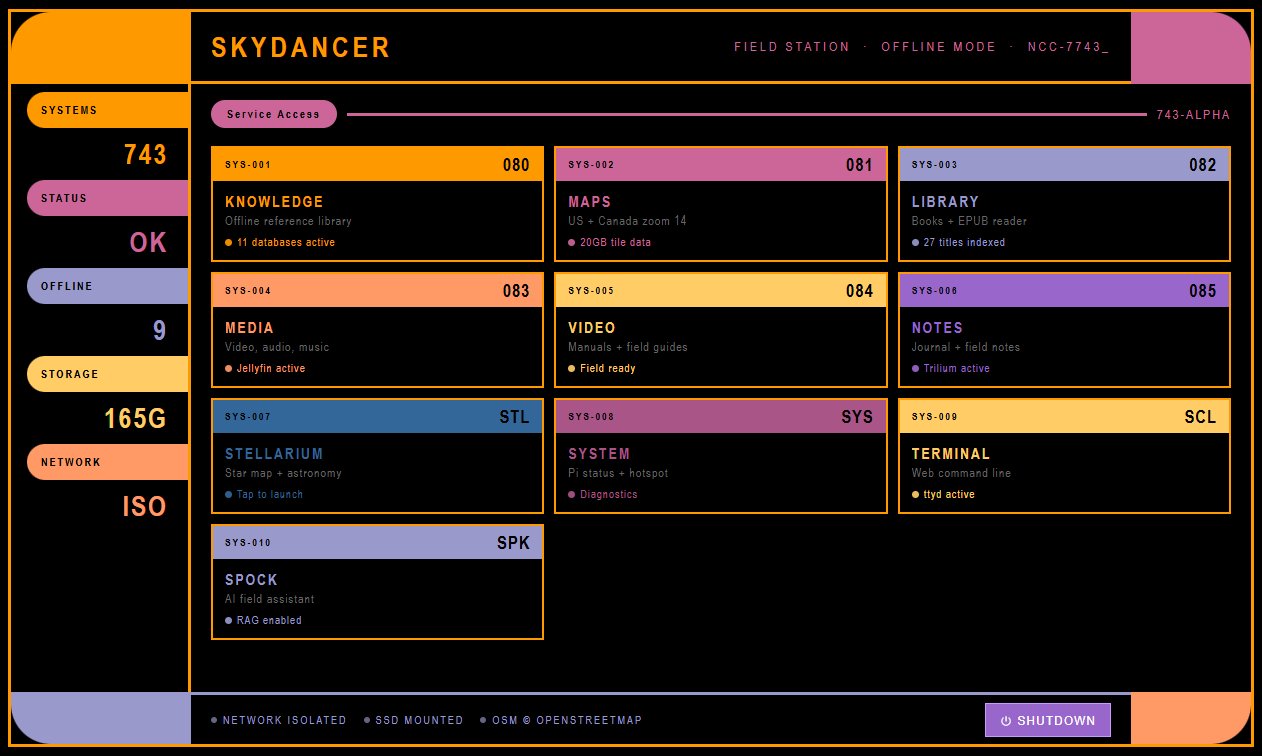
LCARS-themed portal homepage showing all field station services
Project Overview

Building a portable knowledge and media server for places without reliable internet.

The Skydancer Field Station is a Raspberry Pi-based offline intranet designed for travel, camping, and off-grid scenarios. It runs multiple self-hosted services accessible via local WiFi, providing maps, books, movies, notes, and reference materials without requiring internet connectivity.

The system boots automatically, serves a custom LCARS-themed web portal as the entry point, and runs services like Kiwix (Wikipedia offline), Calibre Web (ebook library), Jellyfin (media server), Trilium Notes (personal wiki), and offline mapping for the US and Canada.

Design Goals

πŸ”Œ Fully Offline

All services accessible without internet. Perfect for travel, remote locations, or network outages.

πŸ“± Multi-Device Access

Any device on local WiFi can access the portal. Phones, tablets, laptops all work seamlessly.

⚑ Low Power

Runs on Raspberry Pi 4, drawing minimal power. Can run on battery pack for extended periods.

🎯 Single Entry Point

Custom portal organizes all services. No memorizing ports or URLs.

πŸ“š Knowledge Access

Wikipedia, medical references, survival guides, technical documentation all available offline.

πŸ—ΊοΈ Full Map Coverage

Detailed offline maps for entire US and Canada. No data charges, no signal needed.

Hosted Services

Self-hosted applications providing offline knowledge, media, and tools.

πŸ€–
SPOCK AI Assistant
Custom RAG-powered LLM assistant running Qwen 2.5 0.5B via Ollama. Searches 11,098 indexed document chunks from field station knowledge bases (survival guides, medical references, manuals) and responds with source citations. Fully offline.
Port: 5000 (8GB Pi)
🌐
LCARS Portal
Custom Star Trek-themed web interface serving as the entry point to all services. Clean, organized navigation.
Port: 80 (default)
πŸ“–
Kiwix
Offline Wikipedia, WikiHow, medical references, and technical documentation. Full-text search across all knowledge bases.
Port: 8080
πŸ“š
Calibre Web
Ebook library manager with web interface. Browse, search, and read books on any device. Supports EPUB, PDF, MOBI.
Port: 8083
🎬
Jellyfin
Media server for movies, TV shows, and music. Stream to any device on local network with responsive web player.
Port: 8096
πŸ“
Trilium Notes
Hierarchical note-taking and personal wiki. Build interconnected knowledge bases, track projects, store reference materials.
Port: 8081
⭐
Stellarium
Planetarium software for astronomical observation. Star charts, planet positions, constellation identification.
Port: 8090
πŸ—ΊοΈ
Offline Maps
Custom Leaflet-based map viewer with full US/Canada coverage. Zoom, search, navigate without internet.
Embedded in Portal

System in Action

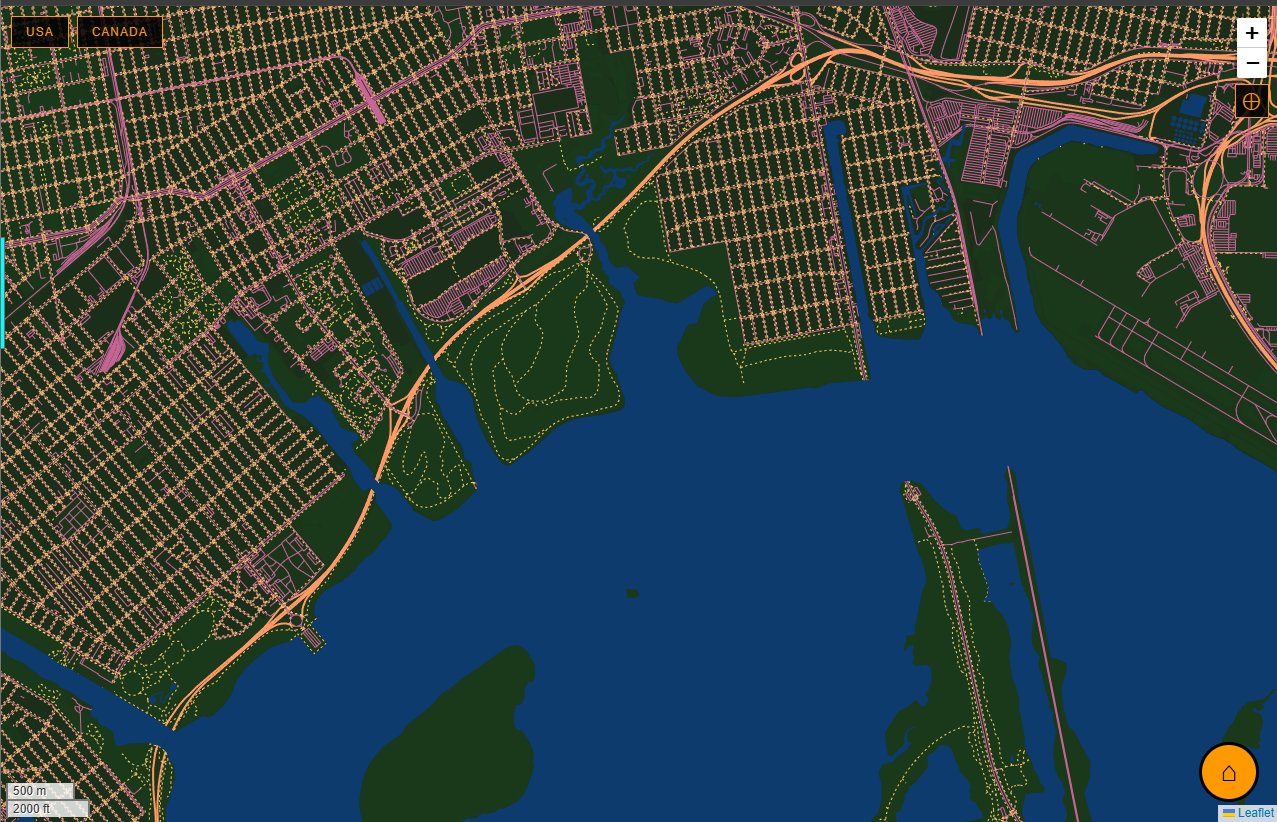
Offline map viewer (zoomed in) - detailed street-level navigation

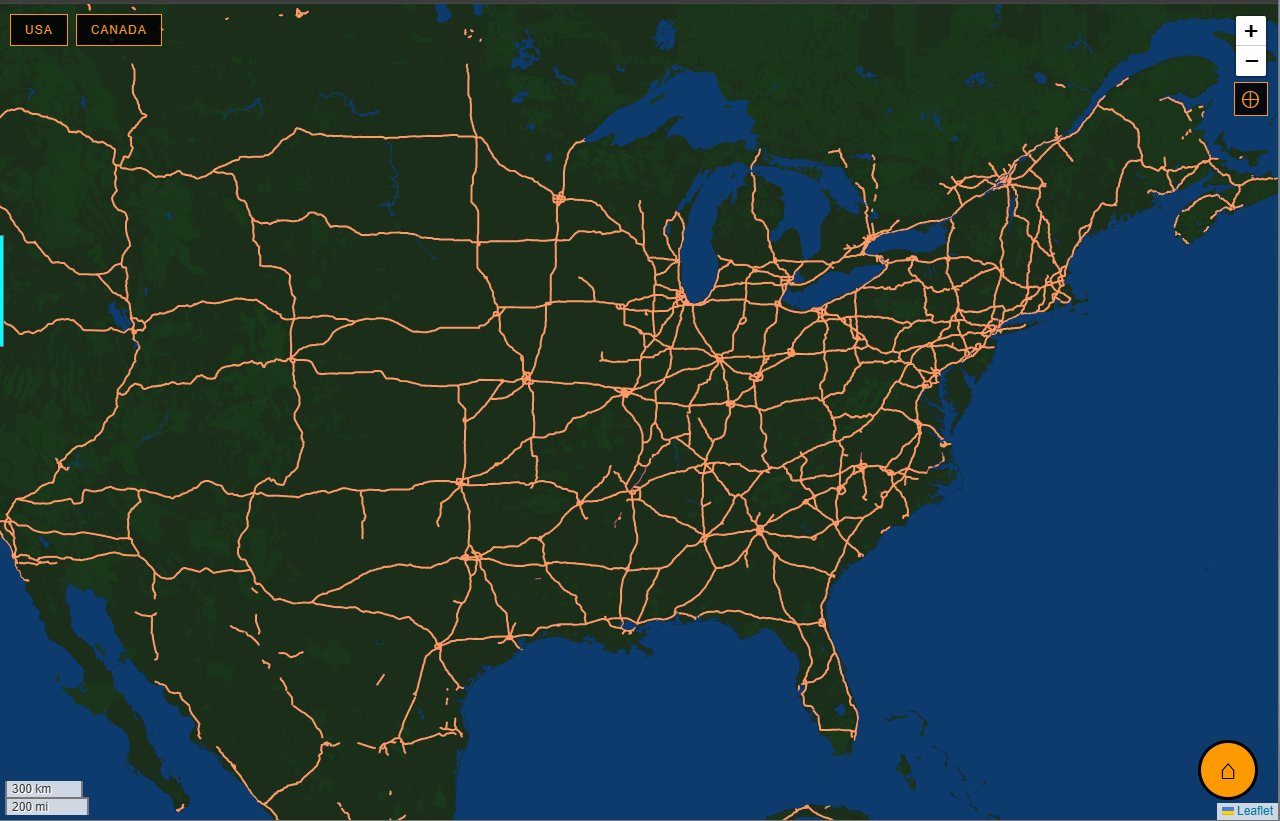
Full continental US coverage at zoom 14

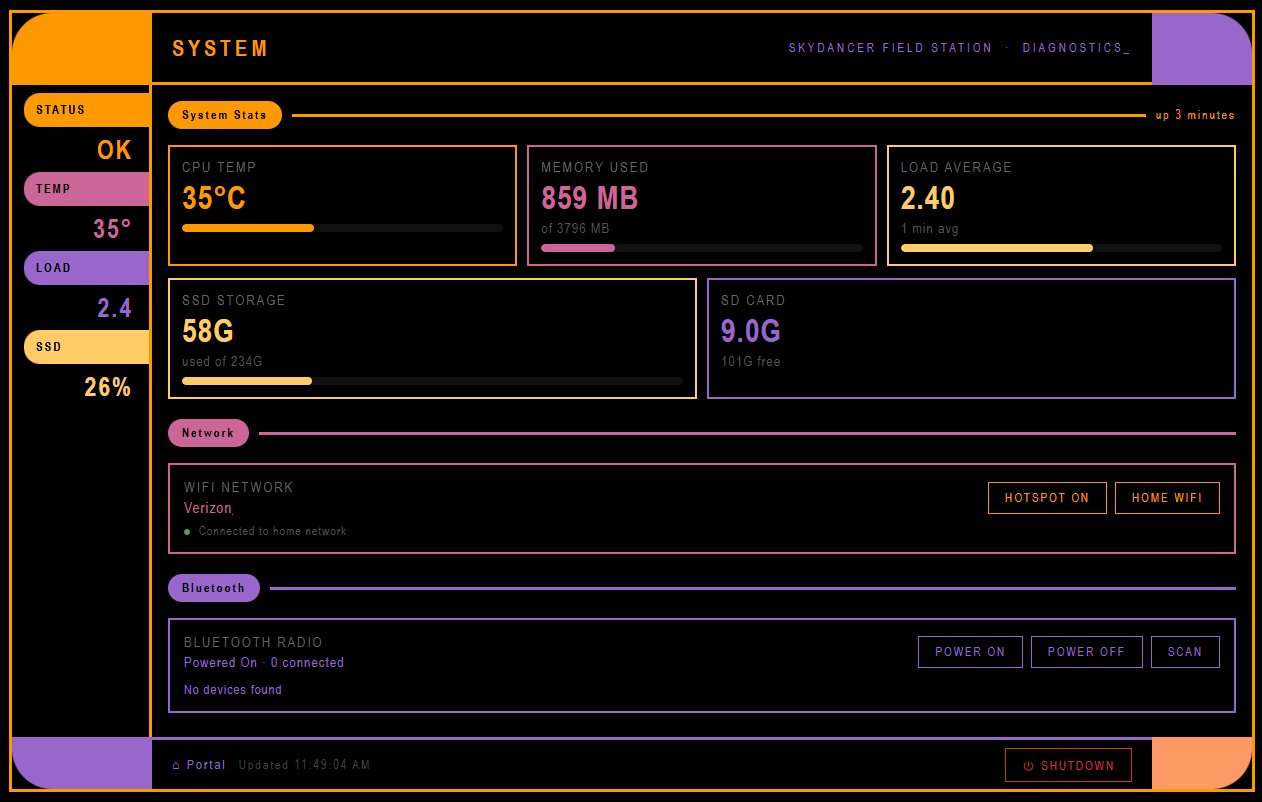
System diagnostics dashboard: CPU temperature, memory, storage, network controls, Bluetooth management

SPOCK AI Assistant

A RAG-powered offline LLM assistant built from scratch for field reference queries.

The Skydancer Field Station includes a custom AI assistant called SPOCK (running on a dedicated 8GB Raspberry Pi) that provides intelligent responses to queries about survival, medical information, and reference materialsβ€”all completely offline.

Technical Architecture

🧠 Language Model

Qwen 2.5 0.5B running via Ollama. Optimized for Raspberry Pi CPU inference with ~3-4 minute response times.

πŸ“š Vector Database

ChromaDB storing 11,098 indexed document chunks with sentence-transformers embeddings (all-MiniLM-L6-v2).

πŸ” RAG Pipeline

Retrieval Augmented Generation: embeds questions, searches vector DB, retrieves relevant chunks, injects as context for LLM.

πŸ’¬ Chat Interface

LCARS-styled web interface with streaming responses and source citations. Accessible from any device on local network.

πŸ“– Knowledge Base

Indexed documents: survival guides, medicinal plant references, pet emergency care, military medicine, prepper resources, field manuals.

πŸ–– Persona

Responds as Mr. Spock from Star Trek: logical, precise, references probability and Vulcan philosophy. Never says "I think"β€”says "Logic dictates."

How It Works

  1. Question submitted through LCARS chat interface
  2. Embedding generated using sentence-transformers model
  3. Vector search retrieves most relevant document chunks from ChromaDB
  4. Context assembly: relevant passages + Spock persona prompt + user question
  5. LLM inference via Ollama generates response with source citations
  6. Response streamed back to web interface (~3-4 minutes total)

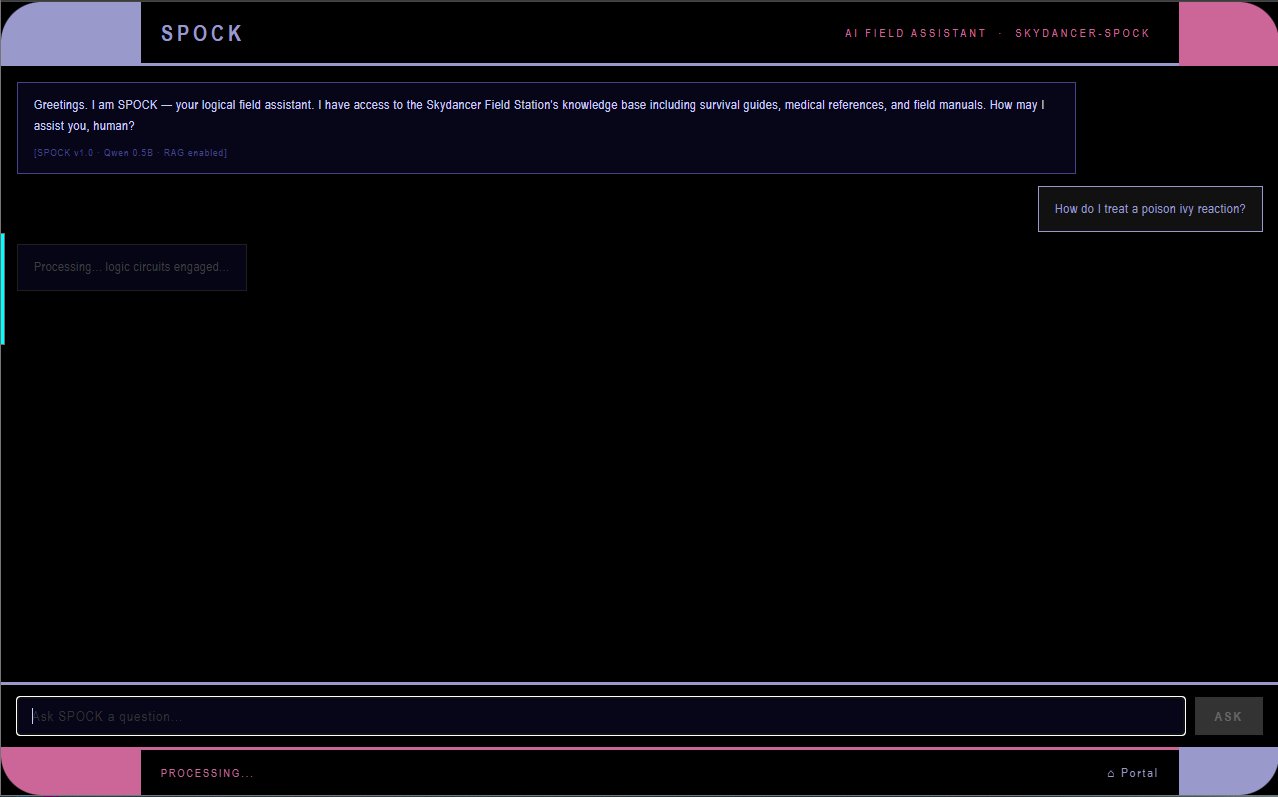
SPOCK processing query ("logic circuits engaged...")

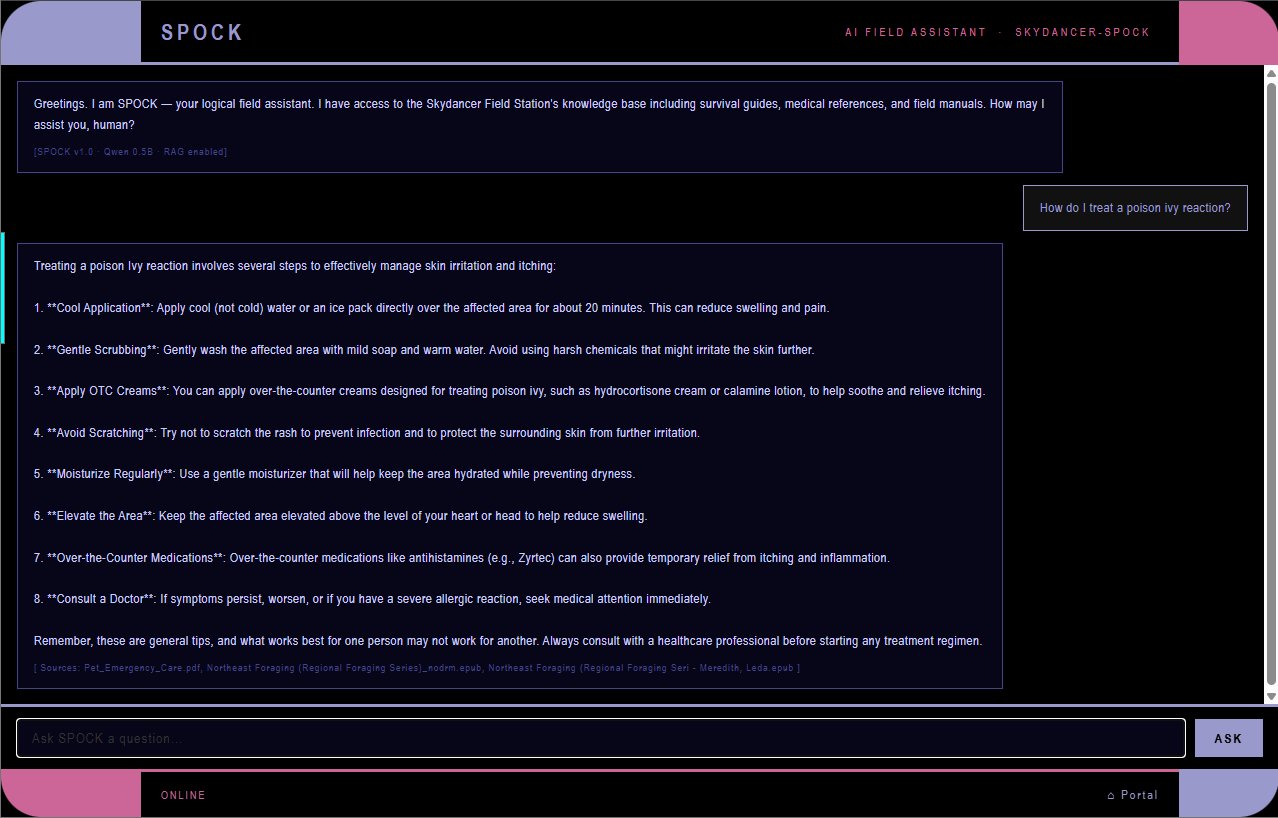
Complete response with advice and source citations

Why RAG Instead of Fine-Tuning?

Retrieval Augmented Generation was chosen over traditional fine-tuning because:

Technical Challenges Solved

Hardware Constraints

Optimized for Pi 4 CPU-only inference. Selected smallest viable model (0.5B parameters), reduced chunk size, tuned retrieval count to balance accuracy vs. speed.

Document Chunking

Segmented long documents into semantically meaningful chunks (~500 tokens) with overlap to preserve context across boundaries.

Embedding Quality

Tested multiple sentence-transformer models. all-MiniLM-L6-v2 provided best balance of embedding quality and inference speed on Pi hardware.

Context Window Management

Limited retrieved chunks to fit within Qwen's context window while leaving room for system prompt and response generation.

Technology Stack

Infrastructure

🐧
Ubuntu Server
πŸ₯§
Raspberry Pi
🌐
nginx
🐳
Docker
βš™οΈ
systemd

Frontend

🌐
HTML/CSS/JS
πŸ—ΊοΈ
Leaflet.js
πŸ“‘
Node.js

AI / ML Stack

πŸ¦™
Ollama
🧠
Qwen 2.5
πŸ—„οΈ
ChromaDB
πŸ”€
Transformers
🐍
Python

Purpose & Use Cases

Why build an offline intranet in 2026?

Primary Use Cases

What I Learned

RAG System Architecture

Built retrieval augmented generation pipeline from scratch: document chunking, embedding generation, vector search, context injection, LLM inference.

Vector Databases

ChromaDB setup, document indexing, similarity search optimization, embedding model selection and performance tuning.

Local LLM Deployment

Running inference on resource-constrained hardware, model selection for CPU-only environments, prompt engineering, context window management.

Linux System Administration

Managing services, networking, storage, user permissions, and systemd on Ubuntu Server.

Self-Hosting Best Practices

Port management, reverse proxies, service isolation, resource constraints, auto-restart configurations.

Frontend Development

Custom portal design, responsive layouts, Leaflet.js integration, LCARS theming with CSS, streaming chat interfaces.

Network Configuration

Local DNS, static IPs, mDNS, WiFi access point configuration, port forwarding basics.

Resource Optimization

Running multiple services including LLM inference on limited hardware, storage management, memory constraints.

User Experience Design

Creating intuitive interfaces for non-technical users, organizing complex information hierarchies.